
Aieos
-
Posts
1,538 -
Joined
-
Last visited
Everything posted by Aieos
-
Your application has already been reviewed, they can take up to 24 hours to be looked at.
-
When you log into the game and it says you were denied, it also states the reason given for denial. I recommend reading up on the servers rules and give it another shot. I was also the one to review your quiz, it was denied for incorrect understanding of our server commands on question 5, and an auto generated biography. To fix this, please go over our commands guide linked in the thread below, and learn them, as well as typing your own hand written biography about your character.
-
Hello and thank you for making this report. Here is a nifty guide, go through and attempts each fix and it should help. Some players have reported if you have any GTA V mods installed inside your GTA V folder, you should remove this and it has been known to fix this issue. NVIDIA USERS: Disable Nvidia Shadowplay and see if that stops the crashing, some players have reported issues with this. Try moving your RageMP to a different drive (For example, from C:\ to D:\) (needs to be on the same drive as GTA V) Programs that can potentially cause a crash: - MSI Afterburner - AI Suite 3 - GameFirst V - Malwarebytes - Norton Security / Antivirus Software - RivaTuner Statistics Server - Microsoft Gaming Overlay (Can also be called 'Game Bar') If the above didn't solve your issue, try the following steps. Not everything may help, but 90% of the time something in here will help. 1. Reinstall RAGE Multiplayer 2. Make sure you have a clean game, no mods should be installed (To make troubleshooting easier and because they don't work with RAGE Multiplayer) 3. Reinstall GTA V or verify the files through Steam/Social Club 4. Run RAGE Multiplayer with Admin rights 5. Make sure you have the required redistributables: a) https://www.microsoft.com/en-us/download/details.aspx?id=48145 b) https://www.microsoft.com/en-us/download/details.aspx?id=53344&desc=dotnet462 6. Install RAGE Multiplayer and GTA V on the same drive 7. Install RageMP and GTA V in the same folder 8. Disable any overlays (For example, Steam overlay, OBS, Discord overlay, Overwolf). 9. Make sure you have a save file(started Singleplayer and saved the game). 10. Delete client resources (this is a folder located in your rage installation directory) 11. Disable your firewall/antivirus or add an exception to your firewall or antivirus so it doesn't do anything to the RageMP exe files 12. Right click on ragemp.exe and select Troubleshoot compatibility 13. (NVIDIA USERS) Disable Shadowplay 14. (STEAM ONLY) Completely close Steam, and then launch RageMP and let RageMP open Steam.
-
You should be able to plug it in, you'll need to stand within a (about) 3 foot radius of the front door for it to work, as this is the only spot in houses that the /charge command will function in.
-
Alternate dimension bug, go in-game and file a /report 2 and one of our wonderful staff members will assist you as soon as possible.
-
You need to own a legal copy of Grand Theft Auto V for PC. After doing so join our official discord server using this link: https://discord.gg/yVEap4Z Once you join navigate to the #i_have_a_question channel, and ask anything you want in there, and we'll help you get everything setup and running!
-
It means whoever denied you forgot to add a reason for denial, the turnaround time is currently around an hour or three, re-read through our server rules and commands guides and give it another shot, then just check back after an hour or so.
-
You connected to the wrong server. The IP address for the English server is 51.91.16.98:22005 As a side note, join the official Eclipse Roleplay Discord server, in there we have a #i_have_a_question channel where you can ask anything your heart desires and you'll usually get a solid answer within a few minutes, saving you time and effort! Discord link: https://discord.gg/yVEap4Z
-
Is your issue still persistent or may we archive this?
-
Please edit the post to follow the required format: https://forum.eclipse-rp.net/topic/14637-technical-support-thread-requirements-must-read-before-posting/
-
Please edit your post to follow our required format:
-
Hello Daniel, please edit the post to follow our required format:
-
Please edit the topic to follow our required format
-
Thank you for your report. This is a known issue, and has been seen abused in a number of player reports. If you see other people abusing this bug in order to achieve an advantage in a fight, make sure to report it on our forum.
-
Please edit your post to follow the required format.
-
You need to use /showvehicles to mark cars that are on the map.
-
Log out of the panel Click the verification link Log into the panel This should make it work
-
You may check your email account for the email sent to you when you created your account initially, it should state your registered username within it.
-
Please follow the required format posted here:
-
/stoproute to return the bus. It's weird.
-
Crashing at the last file is a common issue. Usually opening the game again it'll go through and download that one last file and work fine, if it crashes again after 3 or so more attempts, delete the Client_Resources folder within your rage installation directory, then try again. You should get through it eventually, sometimes it's just weird. If it persists you can disable your anti-virus/firewall just in case, sometimes those like to mess with it too.
-
Issue has been solves, pending archive.
-
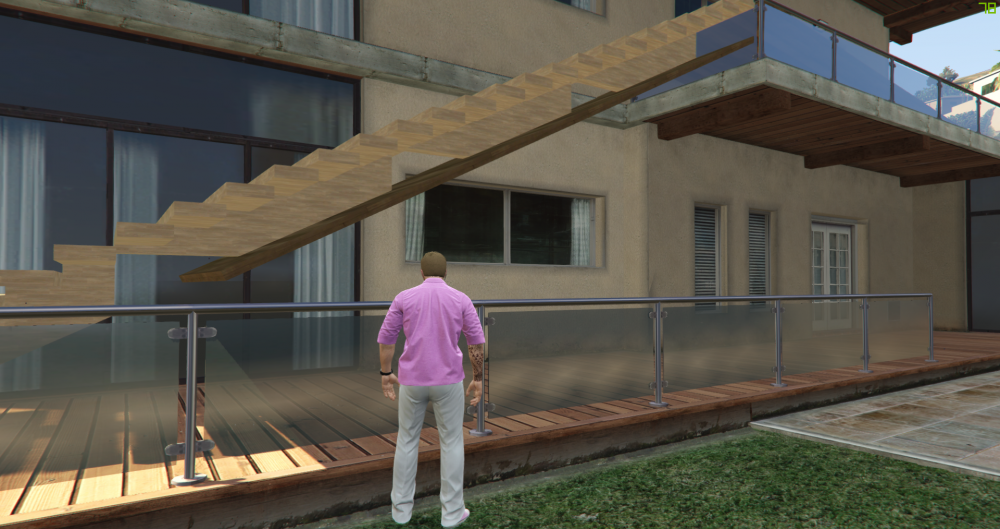
if you lower the ramp tp be in-line with the bottom of the stair but, it's low enough to make it not ragdoll, and you will walk on the stairs, not the ramp.